Thursday, September 30, 2021

ChromeVox...The best tool in the box!

Attention teachers..... in order to provide an inclusive classroom environment, we must fill our teacher tool boxes with things that will help us reach all students at the same time.  Sometimes it is a struggle to meet all of the needs each student at all times.  Please take a look at this feature on the Chromebooks that you can teach the students to use on their own.  ChromeVox is not just for the visually impaired student.  This tool is great for ESOL students, struggling readers, even students with audio processing disorders.  
One of the things that is stands out the most is that this accommodation does not stand out to the rest of class.  The students can use this screen reader and no one else will know!! 

                                Image 1.
Chromebooks... we love them and we hate them!  The battery dies! They fall and break. The students forget them at home.  We sometimes find ourselves asking if they are really worth it.  The quick answer is, "yes".  They really are worth all of the hassle.  Especially if you find out about a feature that many teachers didn't know existed.   

ChromeVox
                                                Image 2.

ChromeVox is a builtin screen reader that enables a differently abled user to access the Chrome operating system.  This tool not only helps the visually impaired students, it can help students that speak a different language by changing the language settings.  The user can also speed up or slow down the reader to assist students with audio processing difficulties.  The uses for ChromeVox are endless and every student in the district has one!  It is like having the golden ticket and not even realizing it.  

This one tool can help you reach multiple children with different needs at one time.  

Here is a link to a Youtube video that explains the fundamentals of ChromeVox.


Here is a link to a printable instruction sheet about installation and use.  This is a wonderful resource because it uses pictures throughout. 


Here is a different link with instructions as well as links to other tutorials for Chromebooks.


References

Educatorstechnology. (2021). ChromeVox- An Excellent Screen Reader for Students with Visual                             Impairments. Retrieved September 28, 2021. 

Google Chrome. (2017, February 8). Using ChromeVox on your Chromebook: Fundamentals [Video].                    YouTube.  https://youtu.be/fpbIsN31hLM

How to Enable ChromeVox in Google Classroom. Retrieved September 28, 2021.                                               https://www.thsti.res.in/writereaddata/8182_otherUpdate_Installing%20ChromeVox%20in
         %20Google%20Chrome.pdf

Image 1. https://www.bbc.com/news/technology-56116573

Image 2. https://www.bbc.com/news/technology-56116573

Wednesday, September 22, 2021

Lego Mindstorm in the Classroom

Do you want to be the coolest teacher in the school?  If so, I have a way to make it happen!!


                        LEGO Mindstorm

                            MINDSTORMS EV3 Support | Everything You Need | LEGO® Education

                            Image 1

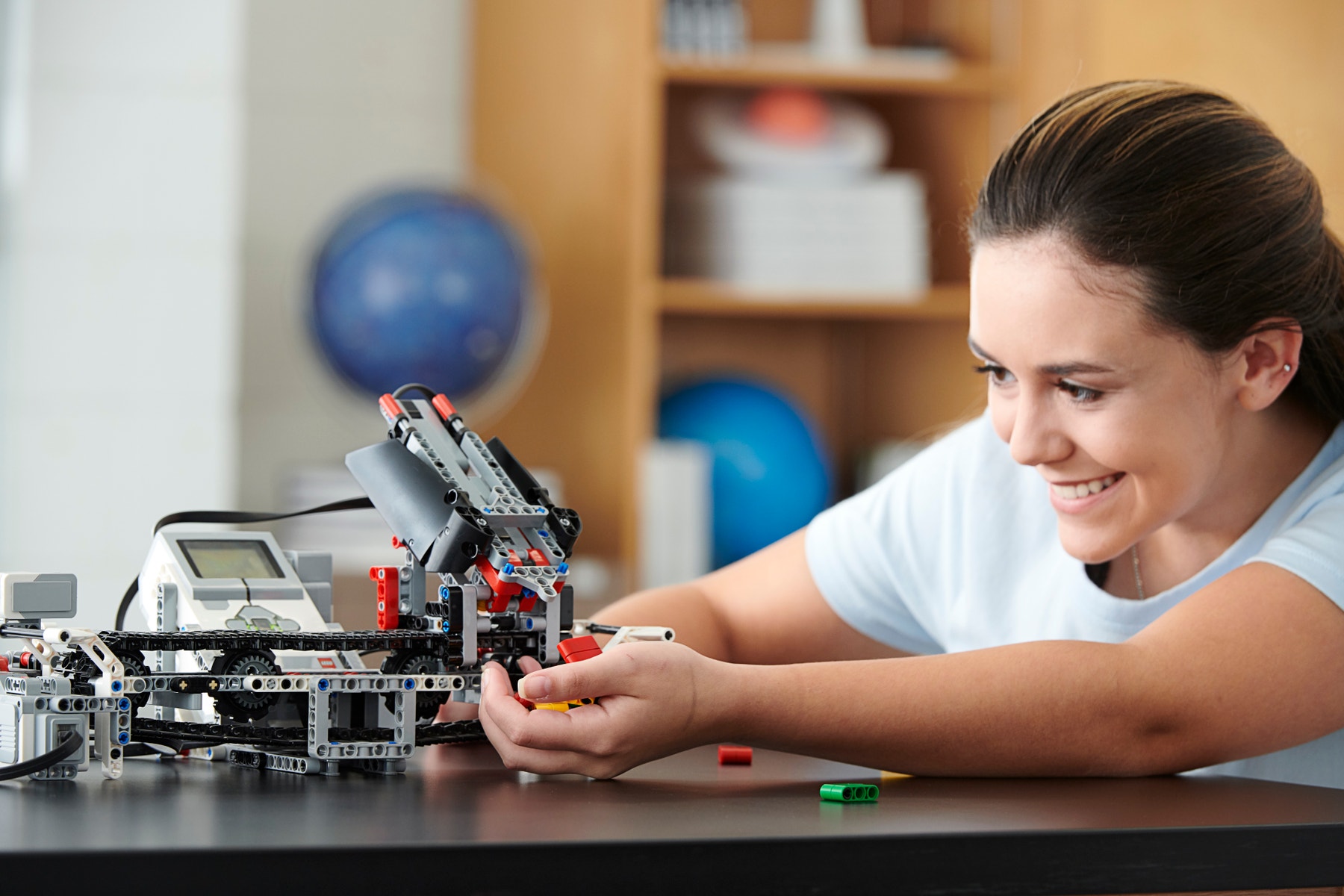
These awesome customizable robots made by Lego are all the rage these days!  Lego Mindstorm is a software and hardware robotic structure that are built with lego bricks.  These robots are programmable and offer loads of educational fun to the classroom.  This takes cool to the next level.  Each set includes a computer lego brick that controls the robot, sensors, and motors, as well as lego parts.  

Check out this Youtube video to see just how cool these are!

https://youtu.be/ntBkg2x3EJ0


I bet you are wondering how an educator can weave lego robots into their classroom curriculum.  

Well... if we look at the R.A.T. model learning model, we can gain a clear understanding of how Lego Mindstorm can fit into the classroom curriculum.  picture of a rat with definitions of Replacement, Amplification, and Transformation

Image 2

Teachers are always looking for ways to "Replace" a stale lesson approach with a new technology that makes teaching more effective and efficient.  Teachers want to "Amplify" the effectivness of their lessons, and "Transform" a lesson into a meaningful learning experience that leads to independant student inquiry.  

 Lego Mindstorm sets fit into the "A" of the R.A.T. learning model.  By providing students a fun new technology to learn a skill that has been taught without technology in the past, the teacher is "amplifying" the effectivness of the skill being taught.  

Let's think about this for a minute...

You are teaching a lesson on how to follow step by step instructions.  You look around your classroom and you see 25 students looking at you like this....

                         Why Kids Get Bored at School—and How to Help

                        Image 3

You are super frustrated with the class because they are not engaged.  They want magic and glitz in your lessons or they are simply not interested.  

And then you remember the new Lego Mindstorm sets in the library and you say, 

                            919 Funny Smirk Photos - Free & Royalty-Free Stock Photos from Dreamstime

                            Image 4

You race to the library workroom and grab the kits.  You instruct the students to follow the step by step instructions to build their own moveable lego creations.  You glance up and you see this...

                                              Image 5

Your students have followed the directions and have created the coolest Lego robots.  You can't help but to jump for joy!  You have successfully implemented a new technology that has "Amplified" the student's learning experience!!  And guess what, I bet they will beg you to do it again!!!!

                                       Surprised Teacher High Res Stock Images | Shutterstock    
                                        Image 6
Now that you can see how cool and effective these Lego sets can be, Check out the link below and see how you can incorporate them into your classroom curriculum.

https://education.lego.com/en-us/downloads/mindstorms-ev3/curriculum


Resources

Image1.  https://education.lego.com/en-us/product-resources/mindstorms-ev3/teacher-resources/classroom-materials

Image 2. https://web.archive.org/web/20190612101737/https://techedges.org/r-a-t-model/

Image 3. https://www.verywellfamily.com/reasons-kids-are-bored-at-school-620804

Image 4. https://www.dreamstime.com/photos-images/funny-smirk.html

Image 5. (2021) Beth Jeffers.

Image 6. https://www.shutterstock.com/search/surprised+teacher

Mindstorm EV3 Curriculum Content. Retrieved Sept. 21, 2021
https://education.lego.com/en-us/downloads/mindstorms-ev3/curriculum 

What is LEGO MINDSTORM? Robot Inventor Explained. Retrieved Sept. 21, 2021
https://www.youtube.com/watch?v=ntBkg2x3EJ0

Friday, September 10, 2021

A Little Gift to the Teachers!

                                                 Boom Cards by Boom Learning | Product Reviews | EdSurge

                            Image 1


Hello to all my k-5 classroom teachers out there!  I have a super fun technology gift for you.  Are you totally bored with your morning meeting/ circle time?  Are the kids over the flip charts and the same ole' stale stuff? Do you need to add some fun learning activities for students that finish their work early?  If so, please take a look at this new idea that can freshen up your game.  Jump on over to The Trapped Librarian and read through her blog about Boom Cards.  Boom Cards are a tool that any teacher can use at any time.  They are short little games to play as a large group, in small groups, or for students to play independently.  The best part about Boom Cards is that there are hundreds of premade games to play on countless topics or you can even create your own.  

Boom Cards in the School Library

Image 2.

Below is the link to the official website.  On this site, you can search for content by grade level, subject area, and cost.  Some cards require a fee but there are tons of free options to pick from. 

                                Amazon.com: Boom Cards : Apps & Games

                                Image 3.


Here is a link to a youtube video that explains exactly what a Boom Card is and how to use it.

                        https://www.youtube.com/watch?v=VWdnf5PKZZk

Here is a link that will teach you exactly how to make your own Boom 

                        Cards.https://www.youtube.com/watch?v=4ZSQ96Kr9II

Here is a link to Boom Cards used in a morning meeting.

                        https://www.youtube.com/watch?v=a-_ct8jMqWQ


I hope you all will check out this neat technology tool.  I think you will find it easy to use and the kids will love it!  Please let me know if I can help you get started with Boom Cards or help you with ideas on how to use them in your classroom.  

I want you all to know that I am here to help you find tools to use in your classroom.  Technology is rapidly changing and we are relying more and more on technology in the classroom.  "Technology integration is the seamless infusion of technology as a resource to enhance the learning in the content areas" (Johnston, 2012).  Part of my job as your school librarian is to be a useful tool to you, and to help classroom teachers stay informed about the rapidly changing technology.  There are some amazing technology resources out there that I cannot wait to share with you.  Please reach out to me if you have any questions or if you need me to find some new fun things to use in your classroom.


Resources

Hagaman, J. (2020, September). Preview of Morning Work Day 1. 

        https://www.youtube.com/watch?v=a-_ct8jMqWQ

Howard, M. (2020, July) How to create BOOM Cards. 

        https://www.youtube.com/watch?v=4ZSQ96Kr9II

Image 1. https://www.edsurge.com/product-reviews/boom-learning

Image 2. http://trappedlibrarian.org/?s=boom+cardsImage 3. https://wow.boomlearning.com

Johnston, M. P. (2012). School librarians as technology integration leaders: Enablers and barriers to

        leadership enactment. School Library Research. 15(2).

Larson, D. (12017, December). What is a Boom Card? 

        https://www.youtube.com/watch?v=VWdnf5PKZZk

The Trapped Librarian. (2021) Boom Cards in the school library. 

        http://trappedlibrarian.org/?s=boom+cards

Thursday, September 2, 2021

Information Literacy, Technology, and Digital Media

News media Literacy is something that has grown near and dear to my heart.  After watching the people closest to me get sucked into fake news, alternative facts, misinformation, and disinformation, I knew I had made the right move to become a librarian so that I could help educate people on how to become better stewards of information.

Information Literacy, technology, and digital media are all intertwined.  Whether good or bad, there are lots of people out there gathering information using only technology and digital media.                        What Do You Mean, Information Literacy? » Britannica 
            Image 1.

Information Literacy is one's ability to identify, find, evaluate, and use information effectively.  Back in the "old days", an information seeker would grab their favorite spiral notebook and head to the library.  They would shuffle through the card catalog and jot down some numbers and letters.  Those numbers and letters would lead them to the books which contained the information they were searching for.  After they thumbed through the books or microfilm and gathered their notes, they would return the items to the front desk to be reshelved.   Information was also gathered from newspapers, magazines, and a hand full of televised news outlets.

Fast forward a few years.....

                               The hidden stress of cell phones | UCHealth Today

                                Image 2

Thanks to digital card catalogs, computers, and smartphones, searching for information has become much easier.  Gone are the big bulky card catalog systems and information limited to within the library walls. Technology has been full speed ahead for many years.  It has completely changed the way people search for information.  Now, patrons can search for information from their own homes.  

This is where it gets tricky! 

 Digital media background concept | Your Social Place

               Image 3.


Digital Media is any information presented through a screen.  This includes texts, audio, video, and graphics accessible through the internet.  It is amazing to think about the abundance of information right at our fingertips!  We bypass libraries, card catalogs, and books to get the answers that we are searching for. 

What on earth could be wrong with that?

                                     Toyota Principle #5 - Build a culture of stopping to fix ... - Getting to  LeanGetting to Lean

                            Image 4.

Enter FAKE NEWS......  

                                The Truth about Fake News : Common Experience : Texas State University

                                Image 5.

Fake news is not a new problem.  We have always had fake news.  The problem is, now we have platforms that can reach millions of people in seconds!!  The next problem is the fact that a large number of people lack the appropriate skills to be responsible information consumers.  Information authority is given out like flyers in a Walmart parking lot.  

What in the world can we do??

                                    Fact-Checking & Verification

                                    Image 6.

Teachers and librarians have to teach people how to be good stewards of information.  Students (and adults) need to acquire the skills that will help them evaluate information that they come across on a daily basis.  The article from this week's readings called "Truth, truthiness, triangulation: A news literacy toolkit for a "post-truth" world" really hits the nail on the head!  I could fill this entire blog full of quotes from this article.  The article outlines the news literacy problem. "News literacy is complicated.  In our attempts to discern truth, we are confronted by a 24/7 news cycle.  News hits us across media platforms and landscape populated by degrees of professional journalists and citizen journalist and satirists and hoaxers and folks paid or personally moved to write intentionally fake news" (Valenza, 2019).  It goes on to outline ways that we can become more news media literate.  

My information diet.....

I am ashamed to say that my information diet was once not very healthy.  I was guilty of scrolling through social media to find out the latest happenings.  Daily weather reports, local power outages, lost pets, and traffic updates were my main news intake for the day.  I won't mention the daily post about what Aunt Sally had for dinner or the other complaints that were mixed into my feed.  Over time, the theme of these social media posts started to take on a much more outlandish tone.  Political parties bashing each other, conspiracy theories, and the constant arguing made me stop and think.  This is when I decided to really analyze what kind of information I was putting into my brain.  

First I learned that ANYONE can create a meme!!  WOW!  You just take a picture and slap words on it and... BOOM... People believe it!  It's like magic!!  Next, I started to pay attention to the news reports that people were sharing on social media.  I never know that we had so many news outlets.  I quickly realized that websites are easy to create and anyone can write a "news story" and pass it off as legitimate journalism.  Finally, I started talking to friends and family about the importance of fact-checking information.  I think I got on some people's nerves when I would constantly ask if they had considered the source when digesting information!  

What really turned my information diet around wasthe research that I conducted for my research proposal on news media literacy.  I really got to dig into why people fall for all kinds of fake news and misinformation.  I started to understand why people share stories that have no evidence to back it up.  Now that I am more information literate myself, I try to do a better job of finding information from credible sources, indetifiying new bias, and carefully giving authority to people and sources that are educated about the subject.  

The perfect librarian's information diet...

I feel like the perfect information diet for a librarian would be full of peer reviewed publications, reputable news sources, and lots of cross checking information.  Just as this weeks podcast stated, we know that news outlets are bias, or at least leaning to one side of information.  As long as the consumer is aware of this, and knows to look further into the informaiton presented, then it is okay to consume bias news.  Librarians are, or should be, responsible consumers of information who are on a mission to educate people on how to be independent and effective seekers of reliable information.


Resources 

Image 1. Britannica Digital Learning. https://britannicalearn.com/blog/what-do-you-mean-information-literacy/


Image 2. UChealth Today. https://www.uchealth.org/today/the-hidden-stress-of-cell-phones/


Image 3. Digital Media. https://www.thinglink.com/scene/850408502345072640


Image 4. Getting to Lean. http://gettingtolean.com/toyota-principle-5-build-culture-stopping-fix/#.YTDVUS2cY6U


Image 5. Texas State University. https://www.txstate.edu/commonexperience/pastsitearchives/2019-2020/stories/blog/2020-03-30-truth-about-fake-news.html


Image 6. Fact Checking and Verification. https://gijn.org/fact-checking-verification/


Valenza, Joyce. (2019). Truth, truthiness, triangulation: A news literacy toolkit for a "post-truth" world.  School Library Journal. November 26, 2016.https://blogs.slj.com/neverendingsearch/2016/11/26/truth-    truthiness-triangulation-and-the-librarian-way-a-news-literacy-toolkit-for-a-post-truth-world/

An Interview with Dr. Durant

                         Camden Middle School  Introducing....                                              Dr. Kathleen Durant Dr. Durant h...