Tuesday, October 26, 2021

The Great Wall of Legos!


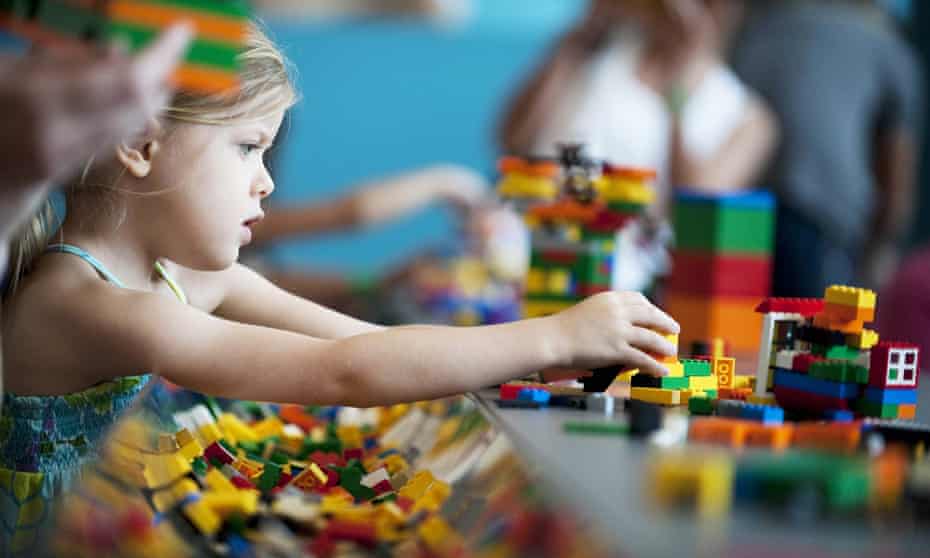
                      People Are Stealing Legos. Here's Why : NPR

                        Image 1.


I will admit, I am totally obsessed with the use of Legos in schools and libraries. Let me explain... kids of all ages can enjoy legos.  They are easy to house and keep neat. There is no limit on the things you can build and create. There is no recurring cost and most parents don't mind donating used legos to schools. You can use Legos to teach the elements of a story and other state standards. You can teach team work, collaboration, and social skills. 

                           Education needs a Lego moment – more fun and fewer pointless targets | Gaby  Hinsliff | The Guardian

                            Image 2.

When I have my own library, my very first Maskerspace will be Legos! I have mounds of legos just waiting. Lego tables, building mats, and storage boxes are essential.  I especially want a Lego wall!! My vision for this wall is rather simple.  I want a space where students of all ages can quickly create something visible in the library. Over time, students can add to another student's work to create something totally different. According to Lauren Britton, "A maker space refers to people coming together to create and share resources, knowledge, and "stuff""(Britton, 2012). By having one wall for the school, the students can develop a sence of community and collaboration.  

"Makers build off the ideas of others and choose the best tools for the job" 

(Makerspace Playbook, 2013)


                           Lego wall challenge #1 in library learning commons at Dolphin Senior Public  School | School library design, Lego wall, Steam classroom

                            Image 3. 

Let me introduce you to the most amazing blog that I came across recently.  This blog is called Renovated Learning: Building a Culture of Creativity + Discovery in Education. This blog is filled with amazing information on Makerspace! 


In this blog, you can find out:


I love that the creator of this blog looks back and evaluates the usefullness of the Lego wall. I feel that a Lego wall can be a great addition to any library or classroom because they allow for endless creativity at any age. 


Resources

Brittion, Lauren. (2012, October 1). The Makings of Maker Spaces, Part 1: Space for Creation Not 
      Consumption. School Library Journal the-makings-of-maker-spaces-part-1-space-for-creation-not-

Image 1. https://www.npr.org/2021/04/03/983870097/people-are-stealing-legos-heres-why

Image 2. https://www.theguardian.com/commentisfree/2016/may/06/education-lego-let-our-kids-be-kids-
      protesters-sats

Image 3. https://i.pinimg.com/originals/a9/7f/f7/a97ff7adf0aec4b5cb226e3417f2dd81.jpg

Makerspace Team (2013). Makerspace Playbook: School Edition. Maker Media

Rendina, Diana. (2015). Renovated Learnig: Building a Cuture of Creativity + Discovery in Education. 
       http://www.renovatedlearning.com/blog/

Rendina, Diana. (2014, September 12). How to Build an Epic Lego Wall. Renovated Learnig: Building a 
       Cuture of Creativity + Discovery in Education. http://www.renovatedlearning.com/2014/09/12/the-
       epic-library-lego-wall-how-to-build-one/


Rendina, Diana. (2014, September 11). The Tale of the Epic Lego Wall. Renovated Learnig: Building a Cuture of Creativity + Discovery in Education. http://www.renovatedlearning.com/2014/09/11/the-tale-of-the-epic-library-lego-wall-part-1/

Rendina, Diana. (2014, September26). Recent Epic Lego Builds. Renovated Learnig: Building a Cuture of Creativity + Discovery in Education. http://www.renovatedlearning.com/2014/09/26/recent-epic-lego-builds/

Rendina, Diana. (2015, September 11). Celebrating a Year of Awesome. Renovated Learnig: Building a Cuture of Creativity + Discovery in Education. http://www.renovatedlearning.com/2015/09/11/lego-wall-round-up/

Thursday, October 14, 2021

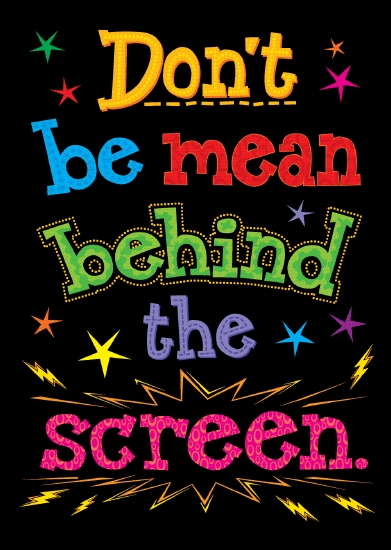
"Don't Be Mean Behind the Screen"

                               Product: Don't Be Mean Behind the Screen - Stationery - School Essentials            
                                Image 1.
This week hit me HARD!!!  The videos, articles, and pictures in this weeks module were often hard to digest.  Just as Faucher, Cassidy, and Jackson pointed out in their article "From the Sand Box to the Inbox," the face of bullying has changed drastically. As a kid of the 80's and 90's, bullying was name calling and 'yo mama' jokes.  Now our children are bombarded with innocent social media posts that make them feel less than as well as down right vicious cyber attacks from peers and even random unknown people.  We are fueling the fire on mental illness and pushing our precious youth right over the edge and it breaks my heart.  

                                         What Is Cyberbullying | StopBullying.gov
                                         Image 2.

If you have been a classroom teacher before, you understand the connection you make with your students. They become 'your kids.'  I was always looking out for my classroom students as if they were my own. Now with my sights set on being a librarian, I'll have 500+ students.  I have no doubt that I wil make that connection with most of them!  I know I will become a mama bear and things like cyberbullying will anger me even more because it will be multiplied by 500!  

The one thing that stood out the most to me this week is the ease at which people can cyberbully.  There are numerous platforms that make bullying a sport.  They hide your identiy to embolden people to be mean. We see it all of the time with adults on Facebook.  By putting a screen in between the bully and the victim, the bully looses the human connection that initates the remorse response.  These young victims sit alone while dealing with their hurt and pain.

Just as librarians need to teach information literacy, we also need to be educating our students about technology edicate and cyberbullying. We cannot assume that these lessons will be taught at home. Anti cyberbullying lessons need to be taught at school.  Our local school dedicates a week to the anti bullying compaign.  In addition to lessons, librarains, teachers, parents, and administrators, need to constantly reinforce anti cyberbullying lessons and create a daily dialog about how we should be treating others in person and online.
              
                              THINK Map image
                             Image 3.

Part of the solution to end cyberbullying is to teach children, and adults, to build each other up.  If we are constantly pointing out the good in each other we will leave little time to focus on tearing each other down.  I loved the video Digital4Good Smile Cards! Cards like this could be given out when students check out library books.  The students would be encouraged to keep passing these little cards around to people.  You never know when a card will land in the hands of someone who really needs it.  Librarians could also use the Snapchat, instagram, and twitter accounts are raise awareness to cyberbullying and give shoutouts to amazing students at school.  Creating a school climate of kindness, respect, and inclusiveness will set the tone for students to notice when their cyber activity has become hurtful.  This amosphere will also be helpful when the victims of cyber bullying reach out of help.  Librarians, teachers, and other school staff must be in tune with their student body and their mental health.  

Refrences

Faucher, C., Cassidy, W., & Jackson, M. (2015). From the sandbox to the inbox: Comparing the acts,  
     impacts, and solutions of bullying in K-12, higher education, and the workplace. Journal of Education
    And Training Studies, 3(6), 11-125.

Image 1. https://schoolessentials.com.au/Product/8261942/DON%27T%20BE%20MEAN%20POP%20
    CHART%20%20%20%20%20%20%20/#.YWhySS2cZQI Retrieved: October 2021.

Image 2. https://www.stopbullying.gov/cyberbullying/what-is-it Retrieved: October 2021.

Image 3.https://web.archive.org/web/20181129151348/http://www.edudemic.com/teachers-guide-digital
    -citizenship/

Thursday, October 7, 2021

Never in a MILLION Years....


 Never in a million years would I have thought that Snapchat would become an acceptable platform for an educator to communicate with students! 


Librarysmoak6

My goal as a school librarian is to create a library atmosphere that is safe, welcoming, and full of hidden treasures waiting for kids to explore.  To do this, I must meet them where they are.  And, they are on Snapchat!  They live on Snapchat!  After reading the article by Jensen, Integrating Social Media into Online Education, as well as observing my own four children, Snapchat is among the top social media tools used by students.  I chose this platform with the intentions of it being an "add-on" to the school's Facebook and Instagram page.  Let's face it, kids with Snapchat are getting younger and younger.  My Snapchat account will give these students, and their parents, a worthwhile account to follow.  

Things I plan to post:

                                            Image 1.

Fun books, magazines, videos, and links for kids to check out.  These types of posts can be linked to areas of instruction in classrooms as well as the library.  Sharing information that will get kids excited to explore curriculum topics creates a "win-win" situation.  Kids win because they gain a more in-depth knowledge of school standards, and teachers win because students gain a more in-depth knowledge of school standards!!  

                                            Image 2.

Games, trivia, and contests.  These posts will be used to hook students to the account.  If the students are constantly looking at our page for the next game or contest, they might just happen to stumble upon a new book that will grab their attention. 

                                            Image 3.

Silly stories about library staff to build connections.  It is really important to connect with the students and families in the community.  By letting people see behind the scenes of the library, they will want to come into the library to see what is going on.  

                                            Image 4.

Announcements/ reminders about upcoming events such a the Book Fair and overdue books.  Communication is key in creating a space where kids want to come. A school can have the biggest and best library in the world, but if we fail to let people know, it will one lonely place.  Sending out quick announcements will keep students in the know about what is going on in the library.

                                            Image 5.

Connections to classroom and library lessons in the real world. Letting kids see why we learn things is so important. Taking a selfie to show students an electric car charging in a parking lot can be a really cool way to make a connection between the lesson on electricity and real life.


I believe with these types of posts, students will be excited about library events, topics, and even instruction.  By obtaining a positive social media presence, I can be my own best advocate for the school library.  If kids are excited, parents are excited.  This will lead to an amazing network of learning opportunities, support systems, and the mastery of independent inquiry. "Social media is the perfect companion tool for a great many things we already do in the library"(Robertson, 2017).


Resources

Image 1. https://www.naperville203.org/highlands

Image 2. https://legolibrarian.com/2017/03/13/tween-programming-are-you-smarter-than-a-librarian-                     trivia-night/

Image 3. https://electricliterature.com/librarians-are-secretly-the-funnest-people-alive/
 
Image 4. http://clipart-library.com/clipart/105005.htm

Image 5. https://www.learningliftoff.com/5-outdoor-learning-activities-to-celebrate-spring/

Jensen, Lucas. (2019).  Integrating Social Media into Online Education. Library Technology Reports. 

Robertson, Nikki. (2017). Connected Librarians: Tap into Social Media to Enhance Professional                             Development and Student Learning. International Society for Technology in Education.


Thursday, September 30, 2021

ChromeVox...The best tool in the box!

Attention teachers..... in order to provide an inclusive classroom environment, we must fill our teacher tool boxes with things that will help us reach all students at the same time.  Sometimes it is a struggle to meet all of the needs each student at all times.  Please take a look at this feature on the Chromebooks that you can teach the students to use on their own.  ChromeVox is not just for the visually impaired student.  This tool is great for ESOL students, struggling readers, even students with audio processing disorders.  
One of the things that is stands out the most is that this accommodation does not stand out to the rest of class.  The students can use this screen reader and no one else will know!! 

                                Image 1.
Chromebooks... we love them and we hate them!  The battery dies! They fall and break. The students forget them at home.  We sometimes find ourselves asking if they are really worth it.  The quick answer is, "yes".  They really are worth all of the hassle.  Especially if you find out about a feature that many teachers didn't know existed.   

ChromeVox
                                                Image 2.

ChromeVox is a builtin screen reader that enables a differently abled user to access the Chrome operating system.  This tool not only helps the visually impaired students, it can help students that speak a different language by changing the language settings.  The user can also speed up or slow down the reader to assist students with audio processing difficulties.  The uses for ChromeVox are endless and every student in the district has one!  It is like having the golden ticket and not even realizing it.  

This one tool can help you reach multiple children with different needs at one time.  

Here is a link to a Youtube video that explains the fundamentals of ChromeVox.


Here is a link to a printable instruction sheet about installation and use.  This is a wonderful resource because it uses pictures throughout. 


Here is a different link with instructions as well as links to other tutorials for Chromebooks.


References

Educatorstechnology. (2021). ChromeVox- An Excellent Screen Reader for Students with Visual                             Impairments. Retrieved September 28, 2021. 

Google Chrome. (2017, February 8). Using ChromeVox on your Chromebook: Fundamentals [Video].                    YouTube.  https://youtu.be/fpbIsN31hLM

How to Enable ChromeVox in Google Classroom. Retrieved September 28, 2021.                                               https://www.thsti.res.in/writereaddata/8182_otherUpdate_Installing%20ChromeVox%20in
         %20Google%20Chrome.pdf

Image 1. https://www.bbc.com/news/technology-56116573

Image 2. https://www.bbc.com/news/technology-56116573

Wednesday, September 22, 2021

Lego Mindstorm in the Classroom

Do you want to be the coolest teacher in the school?  If so, I have a way to make it happen!!


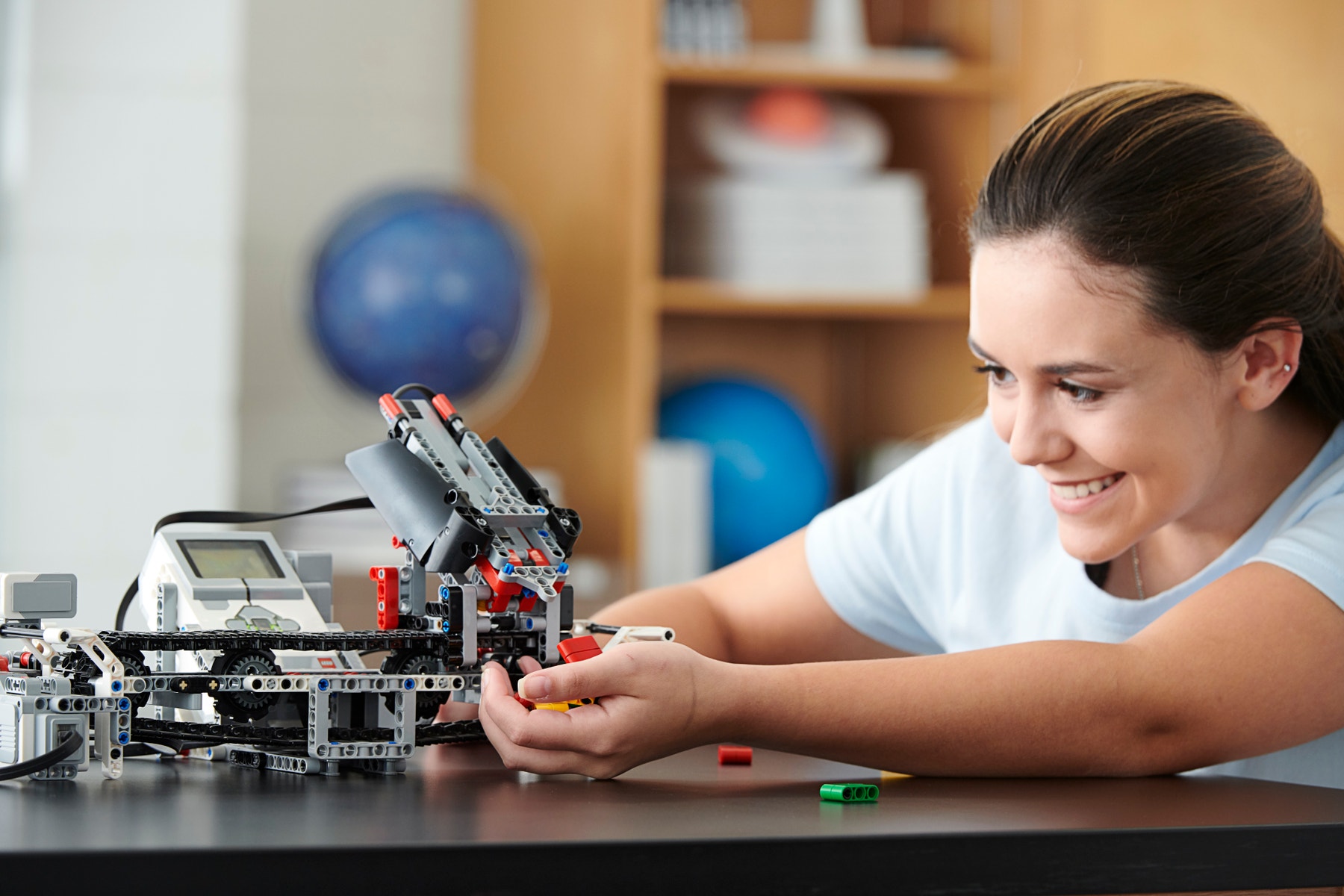
                        LEGO Mindstorm

                            MINDSTORMS EV3 Support | Everything You Need | LEGO® Education

                            Image 1

These awesome customizable robots made by Lego are all the rage these days!  Lego Mindstorm is a software and hardware robotic structure that are built with lego bricks.  These robots are programmable and offer loads of educational fun to the classroom.  This takes cool to the next level.  Each set includes a computer lego brick that controls the robot, sensors, and motors, as well as lego parts.  

Check out this Youtube video to see just how cool these are!

https://youtu.be/ntBkg2x3EJ0


I bet you are wondering how an educator can weave lego robots into their classroom curriculum.  

Well... if we look at the R.A.T. model learning model, we can gain a clear understanding of how Lego Mindstorm can fit into the classroom curriculum.  picture of a rat with definitions of Replacement, Amplification, and Transformation

Image 2

Teachers are always looking for ways to "Replace" a stale lesson approach with a new technology that makes teaching more effective and efficient.  Teachers want to "Amplify" the effectivness of their lessons, and "Transform" a lesson into a meaningful learning experience that leads to independant student inquiry.  

 Lego Mindstorm sets fit into the "A" of the R.A.T. learning model.  By providing students a fun new technology to learn a skill that has been taught without technology in the past, the teacher is "amplifying" the effectivness of the skill being taught.  

Let's think about this for a minute...

You are teaching a lesson on how to follow step by step instructions.  You look around your classroom and you see 25 students looking at you like this....

                         Why Kids Get Bored at School—and How to Help

                        Image 3

You are super frustrated with the class because they are not engaged.  They want magic and glitz in your lessons or they are simply not interested.  

And then you remember the new Lego Mindstorm sets in the library and you say, 

                            919 Funny Smirk Photos - Free & Royalty-Free Stock Photos from Dreamstime

                            Image 4

You race to the library workroom and grab the kits.  You instruct the students to follow the step by step instructions to build their own moveable lego creations.  You glance up and you see this...

                                              Image 5

Your students have followed the directions and have created the coolest Lego robots.  You can't help but to jump for joy!  You have successfully implemented a new technology that has "Amplified" the student's learning experience!!  And guess what, I bet they will beg you to do it again!!!!

                                       Surprised Teacher High Res Stock Images | Shutterstock    
                                        Image 6
Now that you can see how cool and effective these Lego sets can be, Check out the link below and see how you can incorporate them into your classroom curriculum.

https://education.lego.com/en-us/downloads/mindstorms-ev3/curriculum


Resources

Image1.  https://education.lego.com/en-us/product-resources/mindstorms-ev3/teacher-resources/classroom-materials

Image 2. https://web.archive.org/web/20190612101737/https://techedges.org/r-a-t-model/

Image 3. https://www.verywellfamily.com/reasons-kids-are-bored-at-school-620804

Image 4. https://www.dreamstime.com/photos-images/funny-smirk.html

Image 5. (2021) Beth Jeffers.

Image 6. https://www.shutterstock.com/search/surprised+teacher

Mindstorm EV3 Curriculum Content. Retrieved Sept. 21, 2021
https://education.lego.com/en-us/downloads/mindstorms-ev3/curriculum 

What is LEGO MINDSTORM? Robot Inventor Explained. Retrieved Sept. 21, 2021
https://www.youtube.com/watch?v=ntBkg2x3EJ0

Friday, September 10, 2021

A Little Gift to the Teachers!

                                                 Boom Cards by Boom Learning | Product Reviews | EdSurge

                            Image 1


Hello to all my k-5 classroom teachers out there!  I have a super fun technology gift for you.  Are you totally bored with your morning meeting/ circle time?  Are the kids over the flip charts and the same ole' stale stuff? Do you need to add some fun learning activities for students that finish their work early?  If so, please take a look at this new idea that can freshen up your game.  Jump on over to The Trapped Librarian and read through her blog about Boom Cards.  Boom Cards are a tool that any teacher can use at any time.  They are short little games to play as a large group, in small groups, or for students to play independently.  The best part about Boom Cards is that there are hundreds of premade games to play on countless topics or you can even create your own.  

Boom Cards in the School Library

Image 2.

Below is the link to the official website.  On this site, you can search for content by grade level, subject area, and cost.  Some cards require a fee but there are tons of free options to pick from. 

                                Amazon.com: Boom Cards : Apps & Games

                                Image 3.


Here is a link to a youtube video that explains exactly what a Boom Card is and how to use it.

                        https://www.youtube.com/watch?v=VWdnf5PKZZk

Here is a link that will teach you exactly how to make your own Boom 

                        Cards.https://www.youtube.com/watch?v=4ZSQ96Kr9II

Here is a link to Boom Cards used in a morning meeting.

                        https://www.youtube.com/watch?v=a-_ct8jMqWQ


I hope you all will check out this neat technology tool.  I think you will find it easy to use and the kids will love it!  Please let me know if I can help you get started with Boom Cards or help you with ideas on how to use them in your classroom.  

I want you all to know that I am here to help you find tools to use in your classroom.  Technology is rapidly changing and we are relying more and more on technology in the classroom.  "Technology integration is the seamless infusion of technology as a resource to enhance the learning in the content areas" (Johnston, 2012).  Part of my job as your school librarian is to be a useful tool to you, and to help classroom teachers stay informed about the rapidly changing technology.  There are some amazing technology resources out there that I cannot wait to share with you.  Please reach out to me if you have any questions or if you need me to find some new fun things to use in your classroom.


Resources

Hagaman, J. (2020, September). Preview of Morning Work Day 1. 

        https://www.youtube.com/watch?v=a-_ct8jMqWQ

Howard, M. (2020, July) How to create BOOM Cards. 

        https://www.youtube.com/watch?v=4ZSQ96Kr9II

Image 1. https://www.edsurge.com/product-reviews/boom-learning

Image 2. http://trappedlibrarian.org/?s=boom+cardsImage 3. https://wow.boomlearning.com

Johnston, M. P. (2012). School librarians as technology integration leaders: Enablers and barriers to

        leadership enactment. School Library Research. 15(2).

Larson, D. (12017, December). What is a Boom Card? 

        https://www.youtube.com/watch?v=VWdnf5PKZZk

The Trapped Librarian. (2021) Boom Cards in the school library. 

        http://trappedlibrarian.org/?s=boom+cards

Thursday, September 2, 2021

Information Literacy, Technology, and Digital Media

News media Literacy is something that has grown near and dear to my heart.  After watching the people closest to me get sucked into fake news, alternative facts, misinformation, and disinformation, I knew I had made the right move to become a librarian so that I could help educate people on how to become better stewards of information.

Information Literacy, technology, and digital media are all intertwined.  Whether good or bad, there are lots of people out there gathering information using only technology and digital media.                        What Do You Mean, Information Literacy? » Britannica 
            Image 1.

Information Literacy is one's ability to identify, find, evaluate, and use information effectively.  Back in the "old days", an information seeker would grab their favorite spiral notebook and head to the library.  They would shuffle through the card catalog and jot down some numbers and letters.  Those numbers and letters would lead them to the books which contained the information they were searching for.  After they thumbed through the books or microfilm and gathered their notes, they would return the items to the front desk to be reshelved.   Information was also gathered from newspapers, magazines, and a hand full of televised news outlets.

Fast forward a few years.....

                               The hidden stress of cell phones | UCHealth Today

                                Image 2

Thanks to digital card catalogs, computers, and smartphones, searching for information has become much easier.  Gone are the big bulky card catalog systems and information limited to within the library walls. Technology has been full speed ahead for many years.  It has completely changed the way people search for information.  Now, patrons can search for information from their own homes.  

This is where it gets tricky! 

 Digital media background concept | Your Social Place

               Image 3.


Digital Media is any information presented through a screen.  This includes texts, audio, video, and graphics accessible through the internet.  It is amazing to think about the abundance of information right at our fingertips!  We bypass libraries, card catalogs, and books to get the answers that we are searching for. 

What on earth could be wrong with that?

                                     Toyota Principle #5 - Build a culture of stopping to fix ... - Getting to  LeanGetting to Lean

                            Image 4.

Enter FAKE NEWS......  

                                The Truth about Fake News : Common Experience : Texas State University

                                Image 5.

Fake news is not a new problem.  We have always had fake news.  The problem is, now we have platforms that can reach millions of people in seconds!!  The next problem is the fact that a large number of people lack the appropriate skills to be responsible information consumers.  Information authority is given out like flyers in a Walmart parking lot.  

What in the world can we do??

                                    Fact-Checking & Verification

                                    Image 6.

Teachers and librarians have to teach people how to be good stewards of information.  Students (and adults) need to acquire the skills that will help them evaluate information that they come across on a daily basis.  The article from this week's readings called "Truth, truthiness, triangulation: A news literacy toolkit for a "post-truth" world" really hits the nail on the head!  I could fill this entire blog full of quotes from this article.  The article outlines the news literacy problem. "News literacy is complicated.  In our attempts to discern truth, we are confronted by a 24/7 news cycle.  News hits us across media platforms and landscape populated by degrees of professional journalists and citizen journalist and satirists and hoaxers and folks paid or personally moved to write intentionally fake news" (Valenza, 2019).  It goes on to outline ways that we can become more news media literate.  

My information diet.....

I am ashamed to say that my information diet was once not very healthy.  I was guilty of scrolling through social media to find out the latest happenings.  Daily weather reports, local power outages, lost pets, and traffic updates were my main news intake for the day.  I won't mention the daily post about what Aunt Sally had for dinner or the other complaints that were mixed into my feed.  Over time, the theme of these social media posts started to take on a much more outlandish tone.  Political parties bashing each other, conspiracy theories, and the constant arguing made me stop and think.  This is when I decided to really analyze what kind of information I was putting into my brain.  

First I learned that ANYONE can create a meme!!  WOW!  You just take a picture and slap words on it and... BOOM... People believe it!  It's like magic!!  Next, I started to pay attention to the news reports that people were sharing on social media.  I never know that we had so many news outlets.  I quickly realized that websites are easy to create and anyone can write a "news story" and pass it off as legitimate journalism.  Finally, I started talking to friends and family about the importance of fact-checking information.  I think I got on some people's nerves when I would constantly ask if they had considered the source when digesting information!  

What really turned my information diet around wasthe research that I conducted for my research proposal on news media literacy.  I really got to dig into why people fall for all kinds of fake news and misinformation.  I started to understand why people share stories that have no evidence to back it up.  Now that I am more information literate myself, I try to do a better job of finding information from credible sources, indetifiying new bias, and carefully giving authority to people and sources that are educated about the subject.  

The perfect librarian's information diet...

I feel like the perfect information diet for a librarian would be full of peer reviewed publications, reputable news sources, and lots of cross checking information.  Just as this weeks podcast stated, we know that news outlets are bias, or at least leaning to one side of information.  As long as the consumer is aware of this, and knows to look further into the informaiton presented, then it is okay to consume bias news.  Librarians are, or should be, responsible consumers of information who are on a mission to educate people on how to be independent and effective seekers of reliable information.


Resources 

Image 1. Britannica Digital Learning. https://britannicalearn.com/blog/what-do-you-mean-information-literacy/


Image 2. UChealth Today. https://www.uchealth.org/today/the-hidden-stress-of-cell-phones/


Image 3. Digital Media. https://www.thinglink.com/scene/850408502345072640


Image 4. Getting to Lean. http://gettingtolean.com/toyota-principle-5-build-culture-stopping-fix/#.YTDVUS2cY6U


Image 5. Texas State University. https://www.txstate.edu/commonexperience/pastsitearchives/2019-2020/stories/blog/2020-03-30-truth-about-fake-news.html


Image 6. Fact Checking and Verification. https://gijn.org/fact-checking-verification/


Valenza, Joyce. (2019). Truth, truthiness, triangulation: A news literacy toolkit for a "post-truth" world.  School Library Journal. November 26, 2016.https://blogs.slj.com/neverendingsearch/2016/11/26/truth-    truthiness-triangulation-and-the-librarian-way-a-news-literacy-toolkit-for-a-post-truth-world/

An Interview with Dr. Durant

                         Camden Middle School  Introducing....                                              Dr. Kathleen Durant Dr. Durant h...